Speakers
See who said what in your meetings.
Overview
Speakers lets Lungoor Notes tell voices apart and label who said each line in your transcript. To open it, go to Settings and click Speakers under Meetings.
Speakers is in beta, so a label may sometimes be wrong.
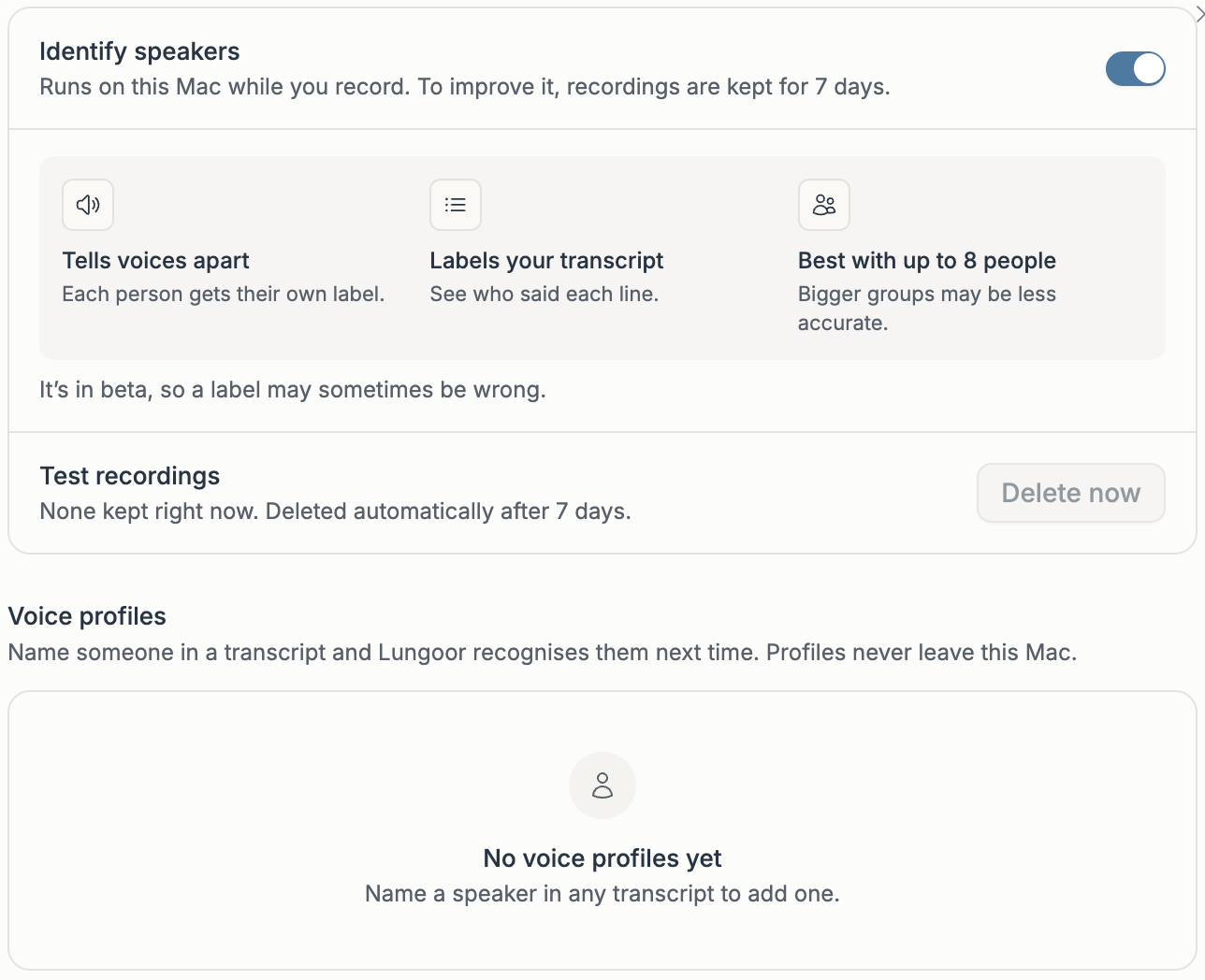
Identify Speakers
Turn on Identify speakers to label each speaker in your transcripts. It runs on your Mac while you record. To improve it, recordings are kept for 7 days.
- Tells voices apart - each person gets their own label
- Labels your transcript - see who said each line
- Best with up to 8 people - bigger groups may be less accurate
If a speaker's name is wrong in a transcript, select it to correct it.
Test Recordings
Test recordings shows how many recordings are being kept right now. They're deleted automatically after 7 days.
To delete them straight away, click Delete now.
Voice Profiles
When you name someone in a transcript, Lungoor recognises them next time. Their voice profile is saved here. Profiles never leave your Mac.
If you haven't named anyone yet, you'll see "No voice profiles yet". Name a speaker in any transcript to add one.
Tips
- Name speakers in your transcripts so Lungoor recognises them in your next meetings
- For the best results, use it in meetings with up to 8 people
- Click Delete now if you don't want your recordings kept for 7 days