Insights
See your meeting habits at a glance.
Overview
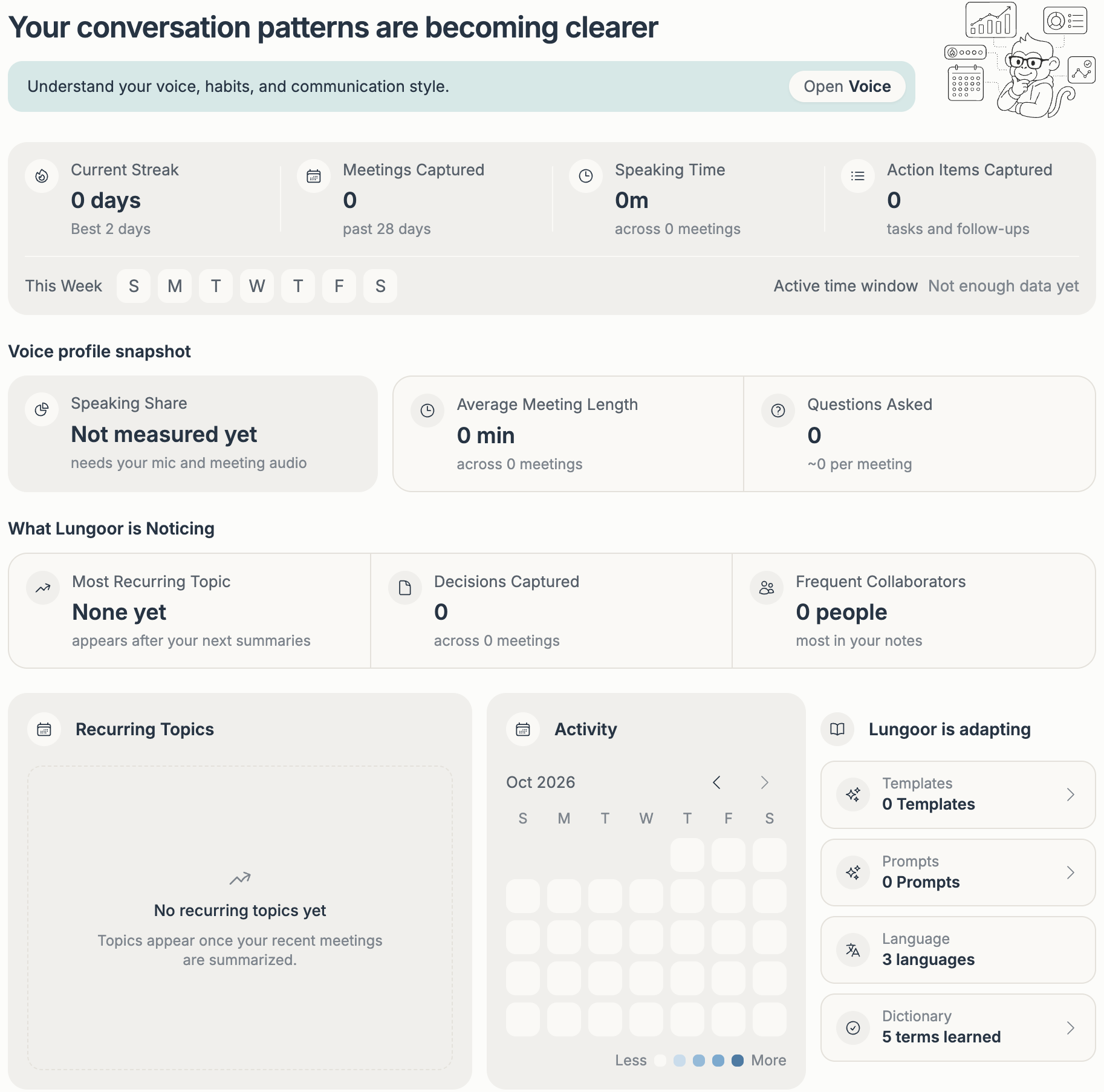
The Insights page shows your meeting habits in one place - how often you meet, how much you speak, the topics that keep coming up and how Lungoor is adapting to you. Open it from the sidebar.
A banner at the top says "Understand your voice, habits, and communication style." Click Open Voice to open Lungoor Voice.
Unlocking Insights
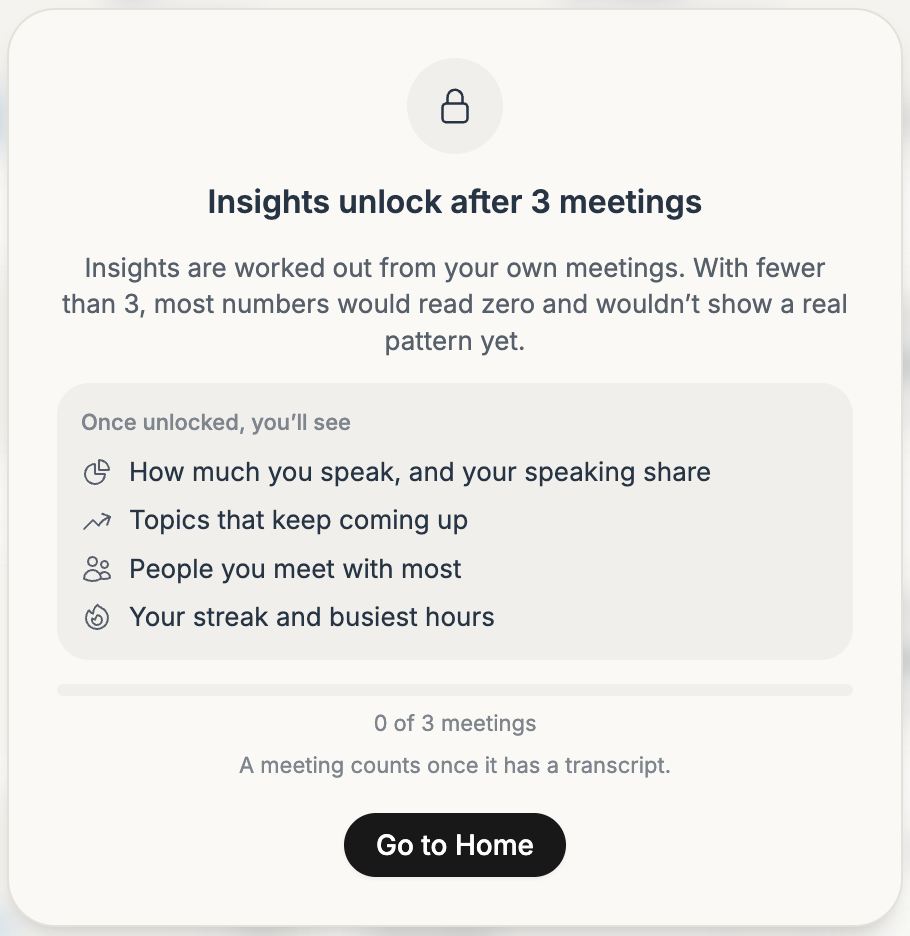
Insights unlock after 3 meetings. They're worked out from your own meetings, so with fewer than 3, most numbers would read zero and wouldn't show a real pattern yet.
Until then, you'll see a progress bar - for example, 0 of 3 meetings. A meeting counts once it has a transcript. Click Go to Home to start recording.
Once unlocked, you'll see:
- How much you speak, and your speaking share
- Topics that keep coming up
- People you meet with most
- Your streak and busiest hours
Your Stats
The top card shows four quick stats:
- Current Streak - how many days in a row you've had meetings, with your best streak underneath
- Meetings Captured - how many meetings you've recorded in the past 28 days
- Speaking Time - how long you've spoken, and across how many meetings
- Action Items Captured - how many tasks and follow-ups Lungoor has picked up
Below the stats you'll see:
- This Week - the seven days of the week, with the days you had meetings highlighted
- Active time window - the time of day you meet the most. It says "Not enough data yet" until there's enough to measure
Voice Profile Snapshot
This row gives you three quick numbers about how you speak in meetings:
- Speaking Share - how much of the meeting you speak. It needs both your mic and meeting audio, so it shows "Not measured yet" until then
- Average Meeting Length - how long your meetings last on average
- Questions Asked - how many questions you've asked, and about how many per meeting
What Lungoor Is Noticing
This row shows patterns from your meetings:
- Most Recurring Topic - the topic that comes up the most. It appears after your next summaries
- Decisions Captured - how many decisions Lungoor has picked up, and across how many meetings
- Frequent Collaborators - the people who show up most in your notes
Recurring Topics
Recurring Topics shows the subjects that keep coming up in your meetings. If it's empty, it says "No recurring topics yet". Topics appear once your recent meetings are summarized.
Activity
Activity is a calendar for the month that shows which days you used Lungoor Notes the most. Each square is one day. The darker the square, the more you used Lungoor Notes that day.
The Less to More scale at the bottom of the calendar shows what each color means. Use the arrows next to the month name to look at other months.
Lungoor Is Adapting
This column shows how Lungoor is being set up for you:
- Templates - how many summary templates you have
- Prompts - how many chat prompts you have
- Language - how many languages Lungoor has picked up
- Dictionary - how many terms Lungoor has learned
Templates, Prompts and Dictionary have an arrow, so you can jump to that section.
Tips
- Record 3 meetings to unlock your Insights
- Capture both your mic and meeting audio so Speaking Share can be measured
- Summarize your meetings so Recurring Topics and Most Recurring Topic can fill in
- Check Activity to see which days you use Lungoor Notes the most