Dictionary
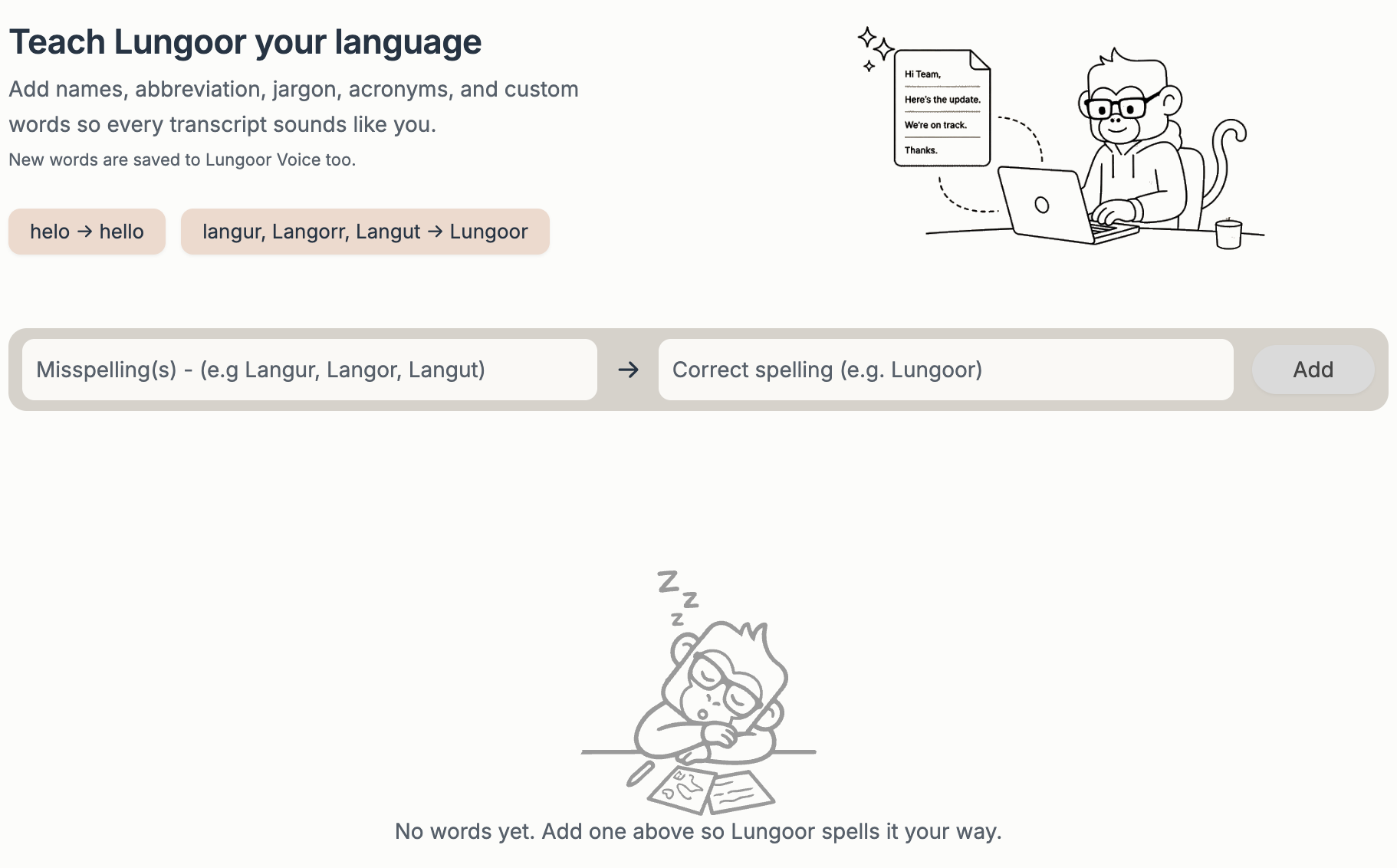
Teach Lungoor your language.
Add names, abbreviations, jargon, acronyms, and custom words so every transcript sounds like you.
Overview
The Dictionary is where you train Lungoor to understand your personal vocabulary - names, brand names, jargon, and any words Lungoor might mishear or misspell in your meeting transcripts.
New words you add here are saved to Lungoor Voice too.
How It Works
Every entry in your Dictionary works as a simple mapping:
The wrong spelling - the correct spelling.
When Lungoor hears a word from your Dictionary in a meeting, it writes your correct spelling in the transcript - no manual corrections needed.
For example:
- helo - Lungoor writes hello
- langur, Langorr, Langut - Lungoor writes Lungoor
Adding Words
To add a word or name to your Dictionary:
1. Type the misspellings
In the first box, type the ways Lungoor gets the word wrong. You can add more than one, separated by commas - for example, Langur, Langor, Langut.
2. Type the correct spelling
In the second box, type how the word should appear - for example, Lungoor.
3. Click Add
Your new entry appears in the list below.
If you haven't added any words yet, you'll see "No words yet. Add one above so Lungoor spells it your way."
Ideas for Your Dictionary
The Dictionary works best when it reflects the words that come up in your meetings. Here are some ideas to get you started:
People's names
- Teammates you meet with often
- Clients and partners
Brand and product names
Words that Lungoor might not spell correctly on its own:
- Your startup or company name
- Tools you use - for example, figma, notion, vercel
- Names of your products or projects
Jargon and acronyms
- Terms from your industry or team
- Short forms your team uses in meetings
Tips
- Words you add here are also saved to Lungoor Voice, so you only need to add them once
- If a name keeps coming out wrong in your transcripts, add it to your Dictionary
- Add every wrong spelling you've seen for a word, so Lungoor catches them all
- The more you personalise your Dictionary, the better your transcripts get