Import
Bring your meetings from other apps into Lungoor Notes.
Overview
Import lets you bring the meetings you recorded in other apps, like Granola, into Lungoor Notes. Download your meetings as a .csv file from the other app, then import it here. Your meetings are added to My meetings.
To open it, go to Settings and click Import under Integrations.
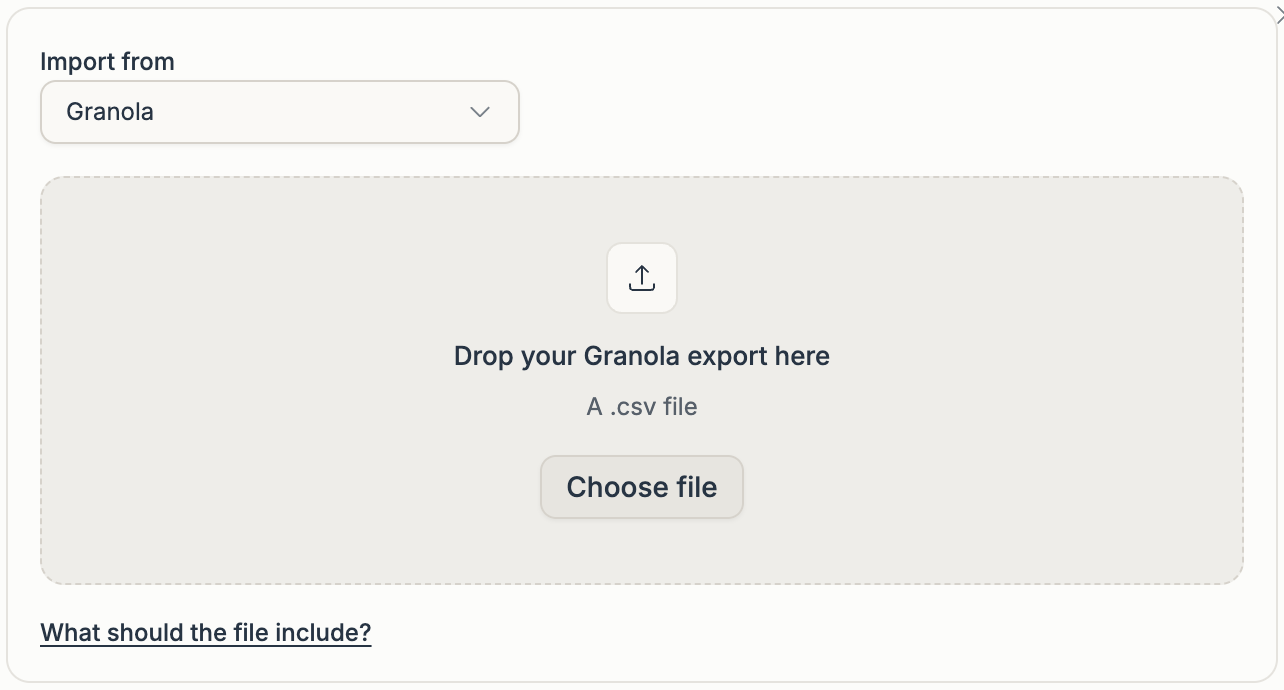
Where You Can Import From
Under Import from, pick the app your meetings are coming from:
- Granola
- Fireflies
- Otter
- Zoom / Meet / Teams transcript
Importing Your Meetings
1. Download your meetings from the other app
Open the app you used before, like Granola, and download your meetings as a .csv file.
2. Open Import
In Lungoor Notes, go to Settings and click Import under Integrations.
3. Pick the app
Under Import from, choose where your meetings are coming from - for example, Granola.
4. Add your file
Drop your .csv file into the box, or click Choose file to pick it from your Mac.
5. Find your meetings
Your imported meetings are added to My meetings.
What Should the File Include?
For a Granola export, your .csv file needs these columns:
- document_id
- user_email
- document_title
- workspace_name
- document_created
- summary
- notes
- transcript
You can also click What should the file include? in the app to see the columns for the app you picked.
Tips
- Import your old meetings so all your notes are in one place
- Check that your file has all the columns listed in the app before you import it
- Pick the right app under Import from first, so Lungoor knows what kind of file to expect