Usage
Track your transcription activity and talk time.
Overview
The Usage tab gives you a detailed breakdown of how you've been using Lungoor Voice - which modes you prefer, how much talk time you've used, and how your words break down by activity type.
Your Talk Time
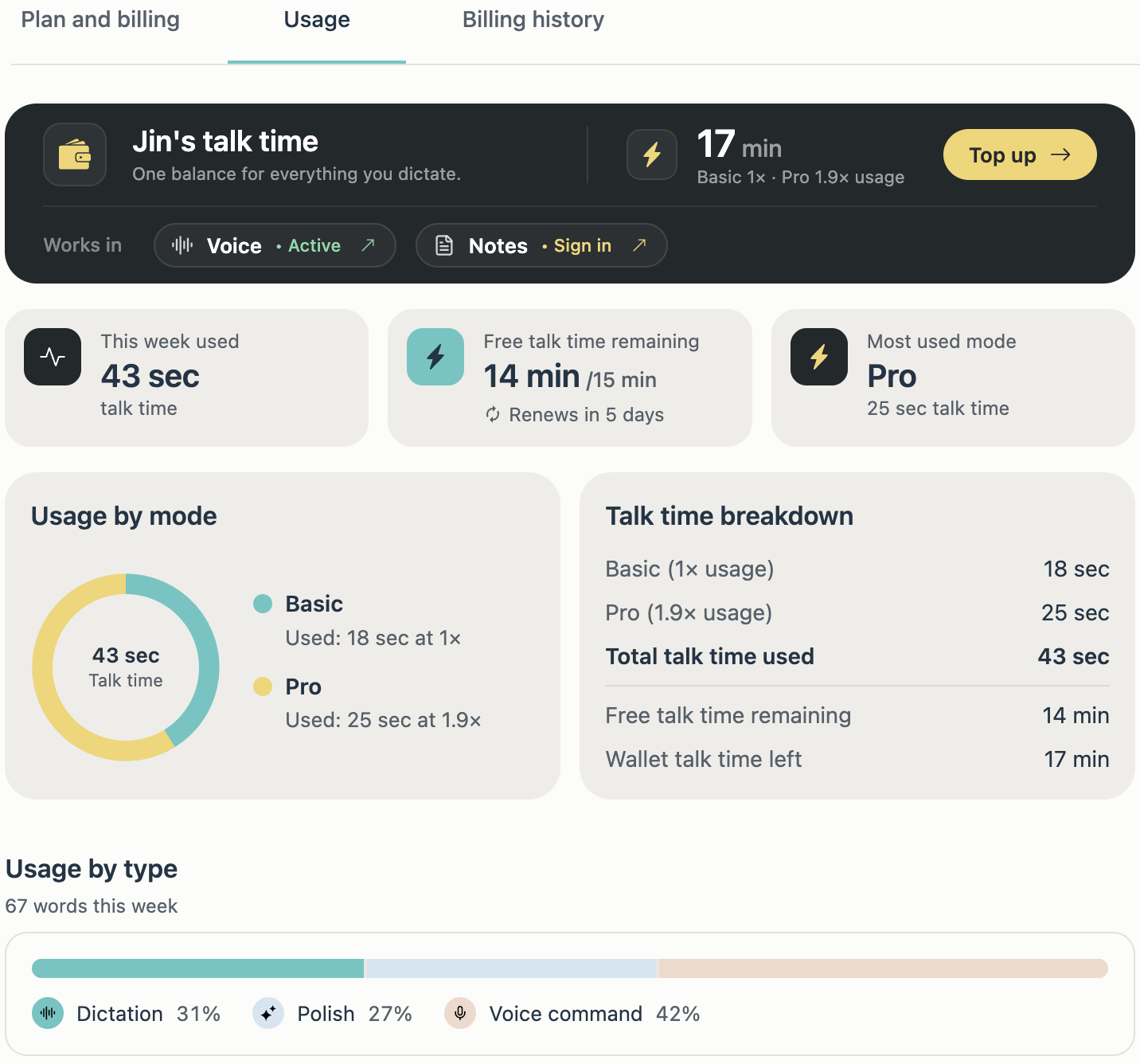
Your talk time card shows your current balance across all Lungoor products. One balance for everything you dictate.
You can see which products it works in:
- Voice - Active
- Notes - Sign in
Your total talk time is displayed at the top in minutes, with your usage rates underneath - for example, Basic 1x and Pro 1.9x usage. A Top up button lets you buy more talk time anytime.
Current Usage Stats
Below the talk time card, three stat cards show your usage at a glance:
This week used
Total talk time used this week across both modes. This resets every week as your week rolls over.
Free talk time remaining
How much of your free weekly talk time you have left, and when it renews - for example, 14 min / 15 min, Renews in 5 days.
Most used mode
Which mode you've relied on most this week - Basic or Pro - plus the talk time you've used in that mode.
Usage by Mode
A donut chart shows exactly how you split your usage between Basic and Pro Mode.
- Basic mode - talk time used at 1x (shown in teal)
- Pro mode - talk time used at 1.9x (shown in yellow)
This visual breakdown helps you understand your mode preferences and whether you're leaning more on Basic or Pro.
Talk Time Breakdown
A detailed table showing exactly where your talk time went:
| Category | Talk time |
|---|---|
| Basic (1x usage) | 18 sec |
| Pro (1.9x usage) | 25 sec |
| Total talk time used | 43 sec |
| Free talk time remaining | 14 min |
| Wallet talk time left | 17 min |
Usage by Type
Shows how your 67 words this week break down by activity type:
- Dictation - 31% - your main transcriptions
- Polish - 27% - reprocessing transcripts with different styles
- Voice command - 42% - using voice commands to reshape text
This breakdown helps you understand which features you rely on most and where your talk time is going.
Tips
- Use Basic Mode for casual notes to keep your free talk time running all week
- Switch to Pro Mode when accuracy matters to see the quality difference
- Monitor your Usage tab weekly to stay on top of your talk time
- Your talk time works across all Lungoor products - Lungoor Voice and Lungoor Notes share the same balance