Insights
See how you use Lungoor at a glance.
Overview
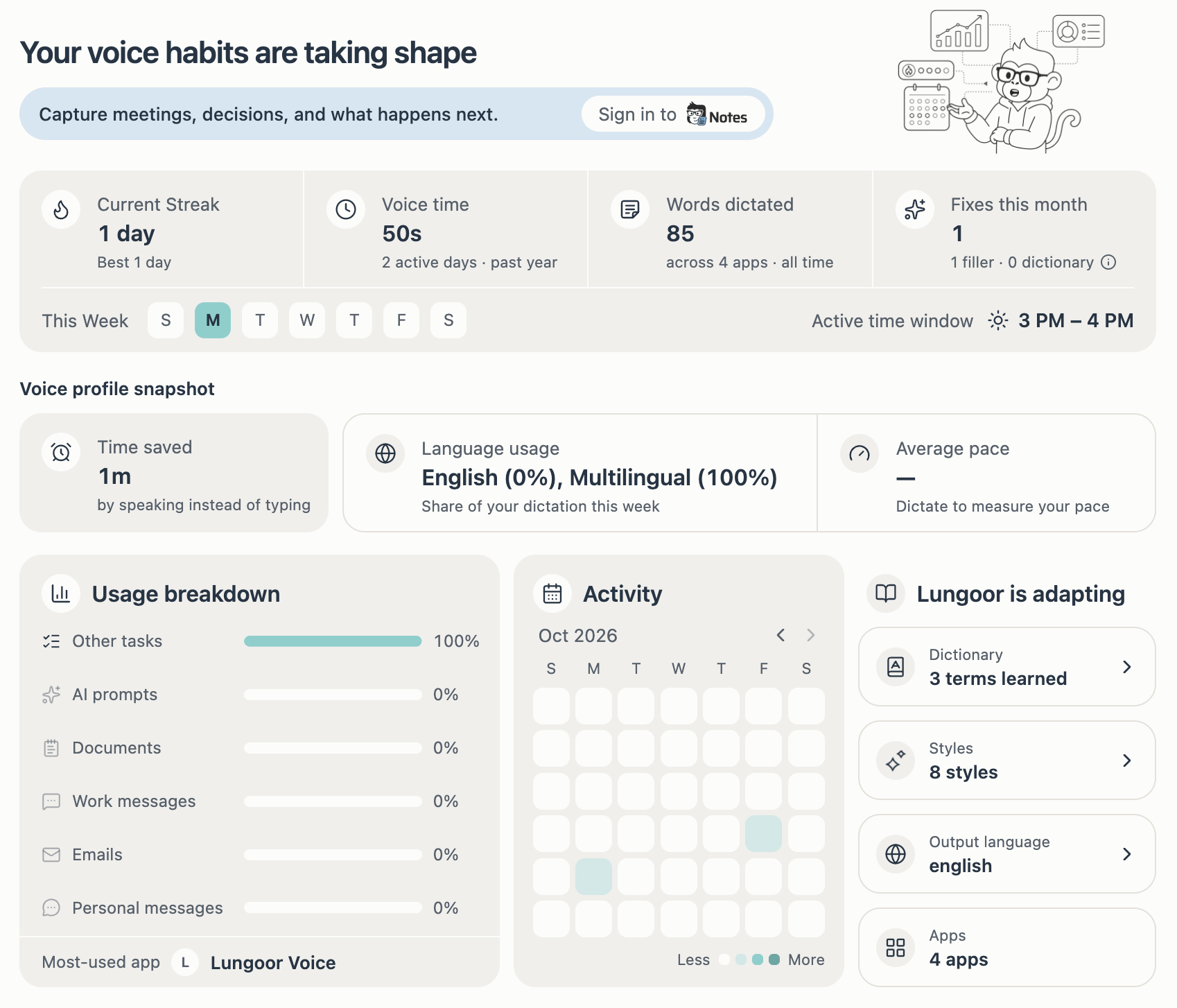
The Insights page shows your voice habits in one place - how often you dictate, how much time you save, and how Lungoor is adapting to you. Open it from the sidebar. When you're new, many numbers start at zero and fill in as you dictate.
A banner at the top invites you to sign in to Lungoor Notes, our meeting notes app.
Your Stats
The top card shows four quick stats:
- Current Streak - how many days in a row you've dictated, with your best streak underneath
- Voice time - how long you've spent speaking, and how many days you were active in the past year
- Words dictated - your total word count, and how many apps you've dictated in
- Fixes this month - how many fixes Lungoor made this month, split into filler words and dictionary corrections
Below the stats you'll see:
- This Week - the seven days of the week, with the days you've dictated highlighted
- Active time window - the time of day you dictate the most
Voice Profile Snapshot
This row gives you three quick numbers about how you speak:
- Time saved - how much time you've saved by speaking instead of typing
- Language usage - the share of your dictation this week in English and in Multilingual
- Average pace - how fast you speak. It shows a dash until you've dictated enough to measure it
Usage Breakdown
Usage breakdown shows what you dictate, as a percentage for each type of writing:
- Other tasks
- AI prompts
- Documents
- Work messages
- Emails
- Personal messages
At the bottom of the card, Most-used app shows the app you dictate in the most.
Activity
Activity is a calendar for the month. Each square is one day, and darker squares mean more dictation. Use the arrows next to the month name to look at other months. The Less to More scale at the bottom shows how the colors work.
Lungoor Is Adapting
This column shows how Lungoor is being set up for you:
- Dictionary - how many terms Lungoor has learned
- Styles - how many styles you have
- Output language - the language your text is written in
- Apps - how many apps you've used Lungoor in
Each card has an arrow, so you can jump to that section.
Tips
- Dictate a little every day to build your streak
- Check Activity to see which days and times you use Lungoor the most
- If Average pace shows a dash, just dictate a few times and it will fill in